Packing video software for e-commerce sellers

Record every packing,
with evidence for every order

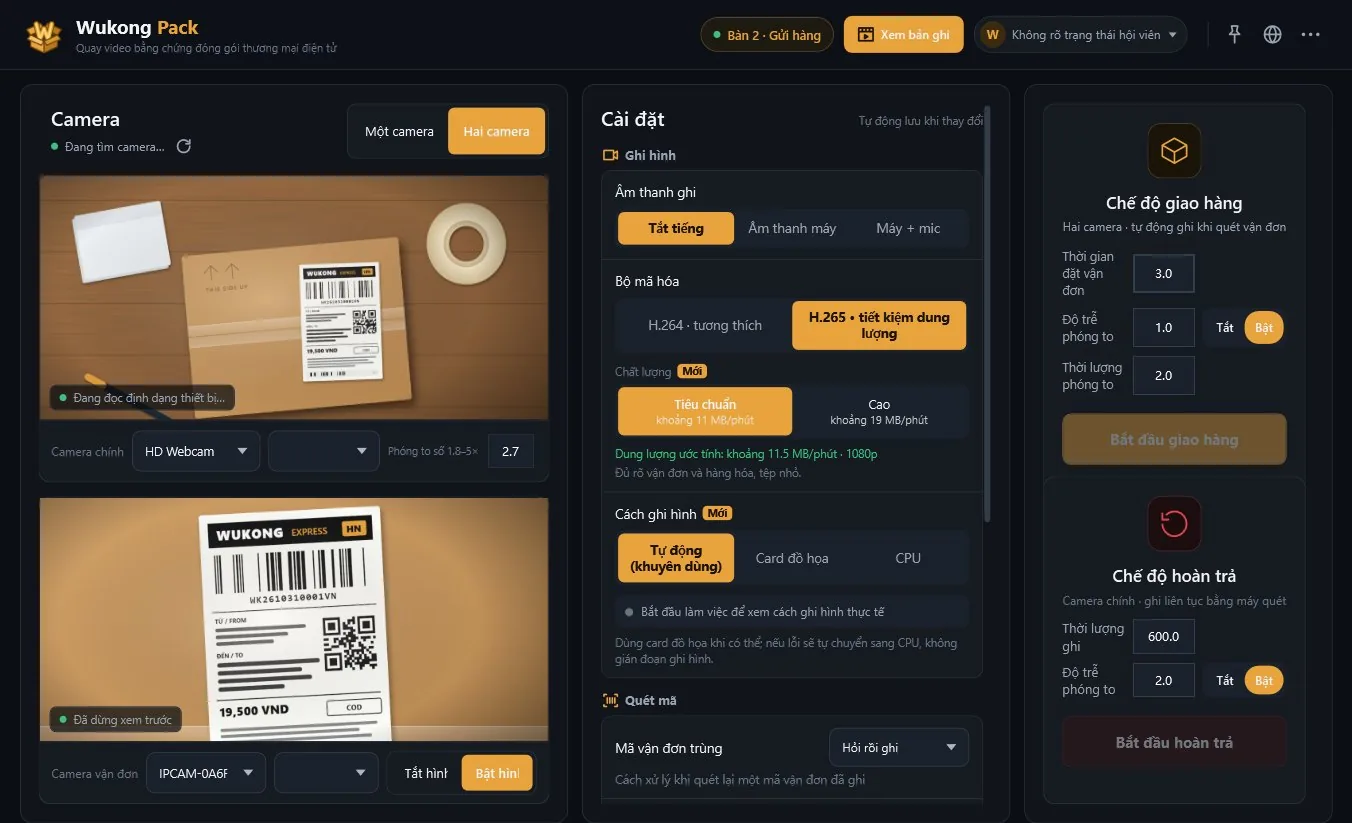
Scan the tracking number and recording starts by itself. Missing items or a swapped return? Open that order’s video in seconds.

If Windows shows a SmartScreen warning, choose “More info”, then “Run anyway”.

Windows 10/11 · 3-day free trial, 7 days with an invite code · No card needed

1 scanstarts and ends the recording
2 camerasoverview + close-up of the label
~11 MB/minH.265 saves storage
Cloudautomatic backup, view on your phone
Three steps

Nothing to learn — plug in a camera, scan, pack as usual.

1

Plug in a USB camera

One or two cameras. Detected automatically, with the right resolution.

2

Scan the tracking number

A scanner gun or the camera reads it. A scan starts recording; the next scan saves the previous order.

3

Look it up when needed

Type the tracking number to open the video, zoom in, send it to the marketplace or customer.

Wukong Pack on Windows

Features

Built for packers handling hundreds of orders a day.

Automatic scanning

Reads SPX, J&T, GHN, GHTK, Viettel Post… tracking numbers and ignores product and carton barcodes.

Label zoom

Zooms in on the label for the first seconds so the number is readable in the video.

Graphics-card recording

Smooth on office PCs; falls back to the CPU on a card error without losing footage.

Cloud backup

Each order’s video uploads by itself; view it on your phone even if the PC breaks.

Returns mode

Records continuously while opening returns; scan to mark each order.

Replay and zoom

Seek and zoom into any area to show the item or the seal.

Phone app

No computer? Record with your phone

  • Scanning the label with the phone camera starts recording
  • Tracking number and time are burned into the video
  • Voice prompts: start, duplicate, finished
  • Same account and membership as the desktop app
Android · Coming sooniPhone · Coming soon

Pricing

One plan for computers and phones. Prices come straight from the member center.

Personal

Solo sellers
99.000đ / month
  • 1 computer(s)
  • 10 GB cloud
  • All recording and lookup features
Buy
Most popular

Shop

Shops with a few packing tables
199.000đ / month
  • 3 computer(s)
  • 50 GB cloud
  • All recording and lookup features
Buy

Warehouse

Warehouses with a team
399.000đ / month
  • 5 computer(s)
  • 200 GB cloud
  • All recording and lookup features
Buy

Pay by bank transfer / QR in the member center.

Multi-station edition

Warehouses: one PC, many packing tables

  • A PoE network camera per table, cables up to 100 m
  • One scanner gun per table, orders go to the right table
  • Watch every table at once from the manager’s desk
  • Recording resumes by itself after a camera drops
Contact us Enabled on request, after a site survey

FAQ

What customers ask most.

Do marketplaces accept the videos as evidence?

Each video carries the tracking number and recording time, unbroken from opening the box to taping it. Whether a video is accepted is decided by each marketplace under its own rules.

What computer do I need?

Windows 10 or 11, 64-bit. A graphics card makes recording lighter but is not required; without one the CPU records.

Which camera should I use?

A Full HD USB webcam is enough; autofocus helps. With two cameras, one films the whole table and one sits close to the label.

How many devices per account?

Depending on the plan: 1, 3 or 5 computers. Phones sign in with the same account and share the membership.

Where are videos kept, and for how long?

On your computer or phone. Paid plans add cloud backup; cloud files are kept for 3 months.

Record your first order

Set up in 2 minutes, free to try.

If Windows shows a SmartScreen warning, choose “More info”, then “Run anyway”.